


Job management for electricians & security installers
The job starts with
everything the quote knew.
Most job software starts from a blank job card. In Knack the job starts from the quote your customer accepted: the scope, the plan, the parts and the price are already in it. Book the crew, hand them a job sheet, issue the certificate, see what the job cost, and send the invoice through your Xero.
Job management is part of the Pro and Crew plans · the 30-day trial has every plan feature
- Job numbers and POs
- Schedule and crew
- Certificates, dockets, timesheets
The job
Accepted, numbered, ready to book.
When the customer accepts, the quote becomes the job. Nothing is re-typed and nothing is lost between the office and the van.
- A job number of your own. Every job gets your numbering, like J-1043, and purchase orders are raised from the same place.
- The scope that was signed. The accepted scope is a frozen record, so “I thought that included the garage” is settled by the page the customer agreed to.
- Every job on one board. The Jobs board shows where every job is at, from the first enquiry to done.
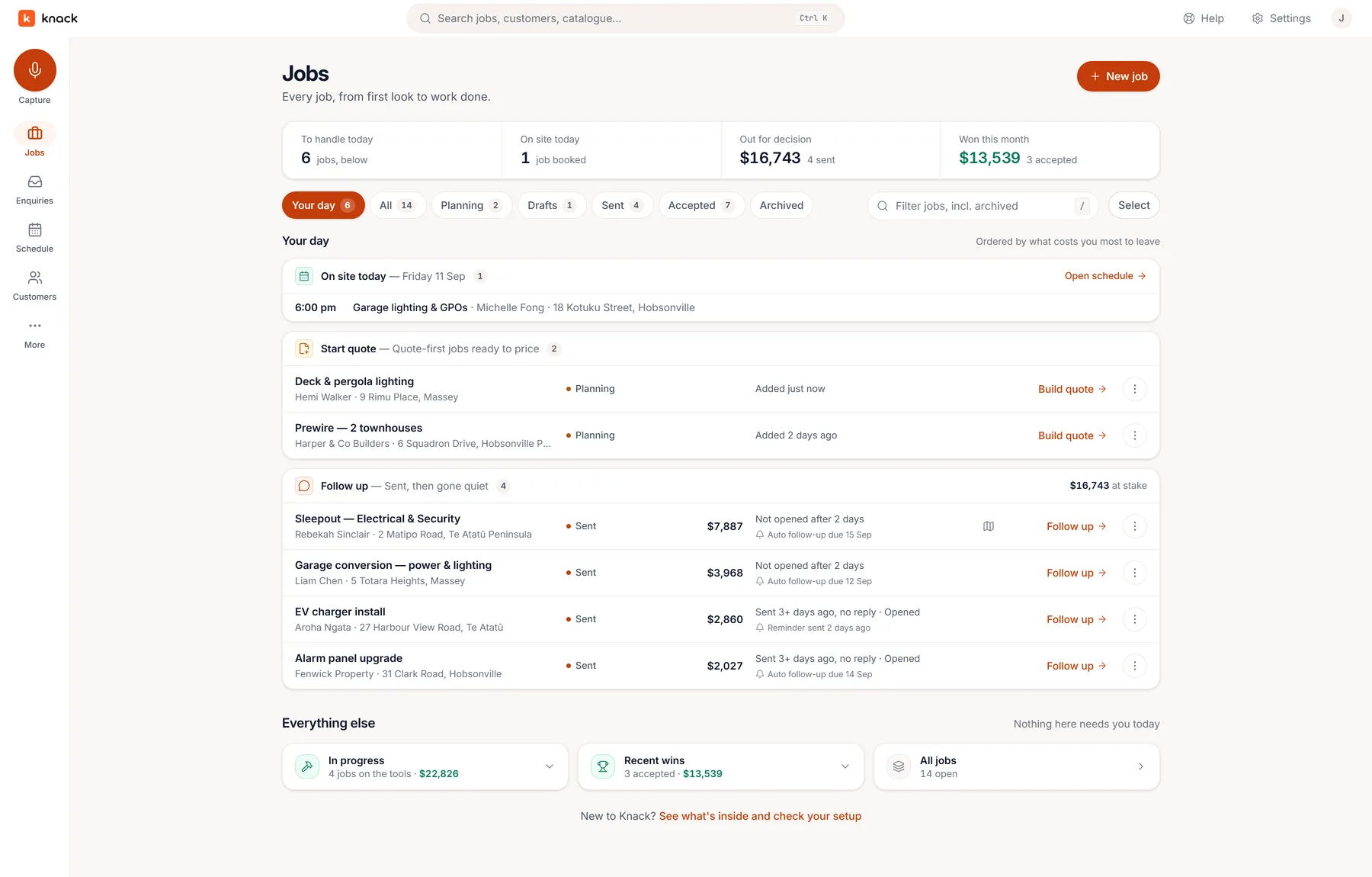
Every job, by where it's at.
Scheduling
Book the crew in, not just the job.
The won job drops into the booking tray. Pick a day, put people on it, and the schedule reads the same on a phone as on a laptop.
- Visits, crew lanes and a week board. Book a job as one visit or several, see it by day, by person or by the week, and move it when the weather does.
- Subbies without a login. On the Crew plan, add subcontractors and labour hire by name. They're one tap to assign and cost you nothing.
- The customer knows you're coming. Tick one box and Knack emails the booking, then a reminder the day before. On my way sends one message when you leave.
- Nothing new to install. The crew can subscribe the calendar app they already use, and their visits show up there.
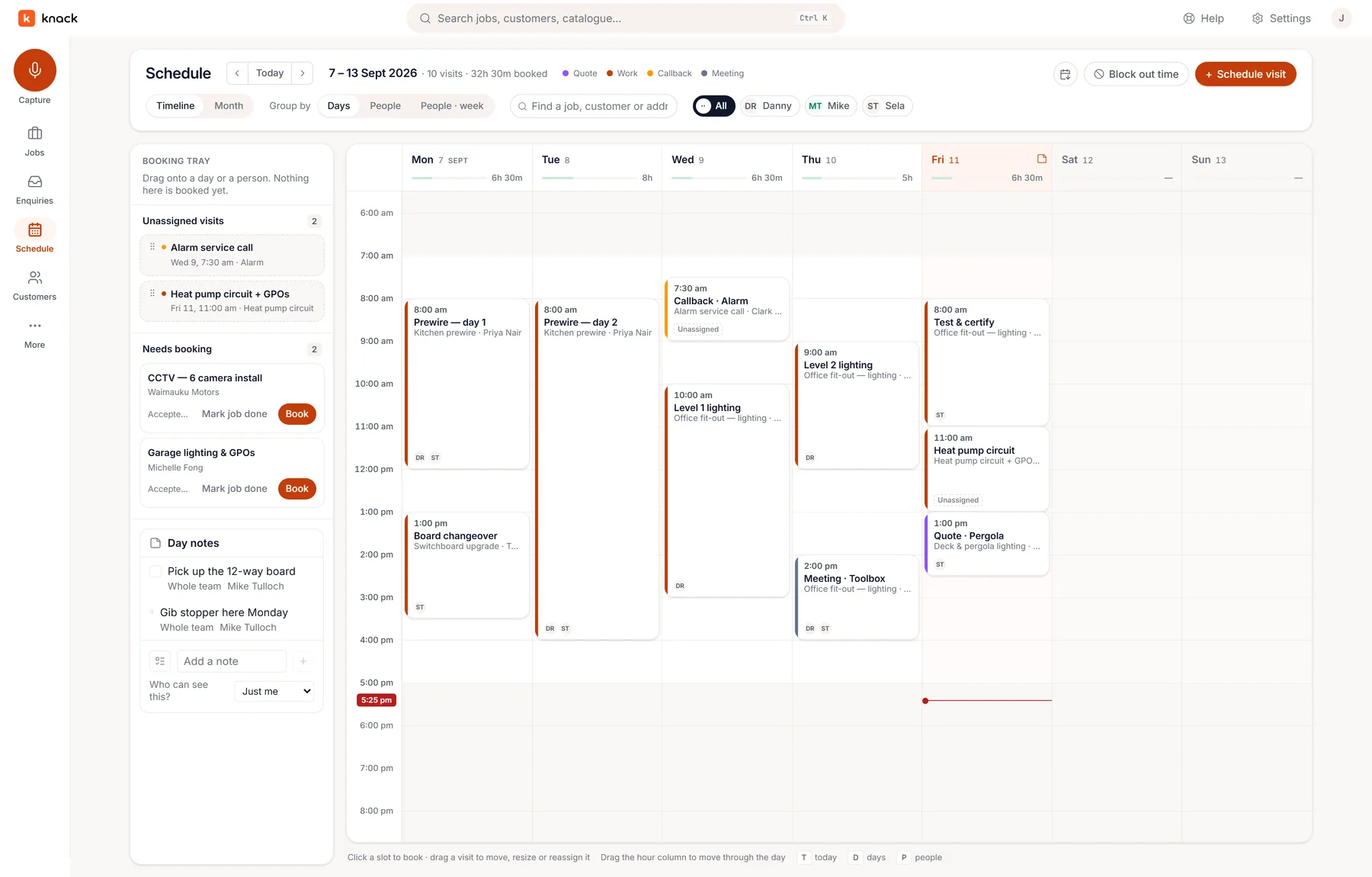
Crew lanes by day. The same schedule on the phone.
On site
What's theirs, without ringing the office.
Whoever's assigned gets a job sheet on their phone: the address with one-tap call and navigate, your instructions, what's going in from the quote, and the plan. Today's jobs are saved to the phone, so it still opens with no signal.
Job forms are filled on the phone and filed on the job as PDFs, test records and handovers among them. Electricians issue the Certificate of Compliance or Electrical Safety Certificate from the job itself, with the site and the customer already in it; the test results, the declaration and the signature stay yours alone.
Close it out with Send for sign-off, so the customer confirms it themselves, or record that they agreed on site. Knack says plainly that the second one is noted by you, not signed by the customer.
Did it make money?
Know while you can still do something about it.
Supplier dockets land on the job by email, so material cost sits next to the price you quoted. Timesheets record each person's hours for the week on a sheet the office approves, so the labour cost is honest too. The approved week leaves as a CSV for any payroll system, or as a draft timesheet in Xero Payroll.
The invoice goes through your Xero. Hand the accepted job off as a draft to check, or in New Zealand let Knack approve it in your Xero and email it to your customer with your bank details and the job number as the reference. Xero keeps the books and says what's been paid.
Said plainly
What Knack's job management deliberately doesn't do.
No second set of books: Knack never chases a debtor or keeps its own record of what anyone owes you. Hours only: no pay rates, award rules or leave balances. Costs, never payables: what's owing to suppliers stays in your accounting system. No stock or inventory. If you need all of that in one system, one of the bigger job-management tools is the better buy, and the comparison would rather you knew now.
Fair questions
Straight answers.
Which plans include job management?
Pro and Crew. Pro books one person; putting several people, or crew without a login, on visits is Crew. The 30-day trial has every plan feature, so you can run a real job through it before you choose. Every plan, Starter included, gets the full quoting workflow. See the plans →
Do I have to drop the system I already use?
Not on day one. Start by pricing your next job in Knack. While you're switching, an accepted job can push straight out to Fergus as a job, or to Xero as a draft invoice, so the rest of your week keeps running where it runs today. Your customer list comes across from a connected Fergus account, or from a Fergus, Tradify or ServiceM8 export.
Will the guys on the tools actually use it?
There's no cut-down field app to learn: the schedule, the job and the job sheet are the same screens they'd see on a laptop, laid out for a phone, in the Knack apps for iPhone and Android. If all they need is where they're going, they can subscribe the calendar app they already use and install nothing at all.
Is it priced per user?
No. Knack is priced per workspace: plans from NZ$49 + GST a month for the whole business, office and crew included. Roles control who sees costs and margin.
More questions answered on the features page →
Win the job in Knack. Then run it there too.
Thirty days, every plan feature, no credit card. Quote a job you have this week and book it in when they say yes.