


Guides · Quoting
How to do an electrical takeoff from the plans
A takeoff is the count and measure you do off the drawings before you can price a job: every point, every run, and everything the plan doesn't show. Get it right and the quote prices itself. Miss a page or a symbol and you install it for free.
About a 5-minute read
-
Start from the right set of drawings
Check you have the current revision of every sheet: the electrical layout, the lighting plan if it's separate, and the architectural plans for ceiling heights, wall types and anything that changes how a cable gets from A to B. A takeoff off a superseded sheet is the most expensive kind.
Read the legend and any notes before you count anything. The legend tells you what each symbol means on this job, and the notes are where the consultant hides the things that cost money: specified brands, circuit requirements, fittings supplied by others.
-
Set the scale against something you know
A PDF that has been printed, scanned or resized is no longer at the scale printed on it. Before you measure a single run, check the scale against a real dimension on the sheet: a dimension string, a standard door width, a grid line spacing. If two checks disagree, find out why before you go on.
In Knack you calibrate each sheet once, and until you do it says the sheet is not to scale rather than pricing runs off a guess.
-
Count one symbol type at a time
Work through the legend in order: downlights, then power points, then switches, smokes, data points, isolators, and so on. Counting one type across the whole sheet is faster and far more accurate than counting room by room, because your eye is only looking for one shape.
Mark every symbol as you count it, so nothing gets counted twice and nothing gets skipped. On paper that's a highlighter per type; on screen it's a placement on the symbol.
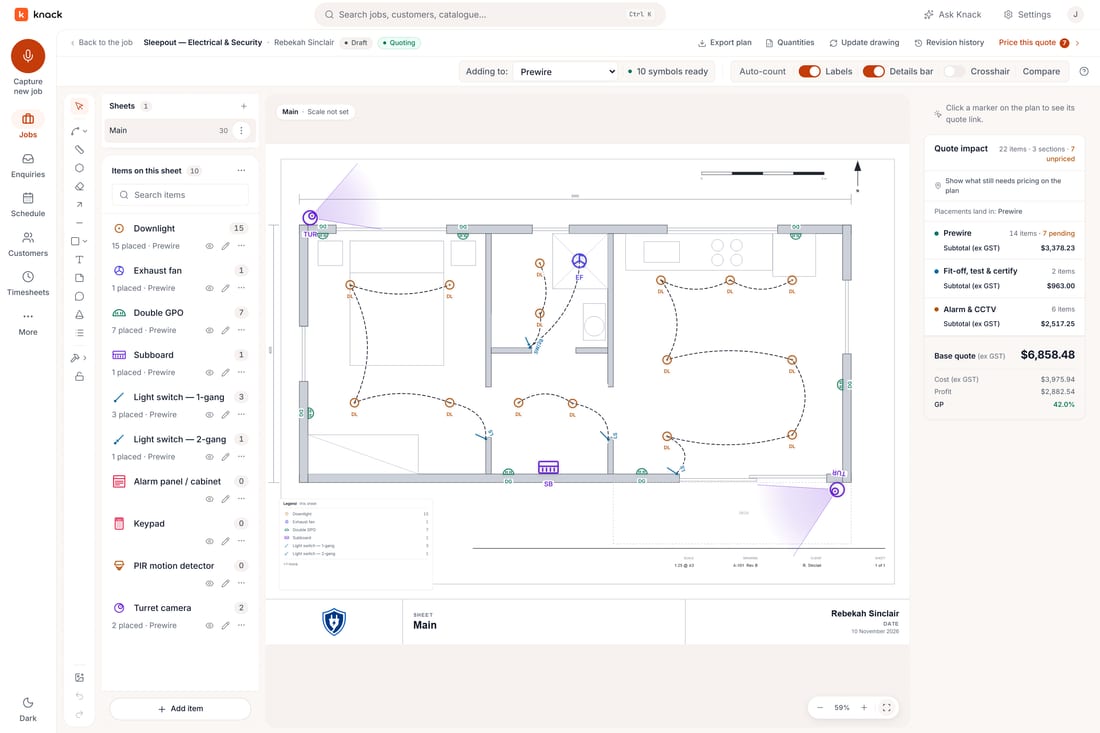
In Knack: every point on the plan counted, with the tally beside the sheet. -
Keep the count by room and by level
A total of forty power points is hard to check and hard to change. Forty power points split by room and by floor can be checked against the plan in a minute, and when the customer drops the rumpus room or adds a sleepout, you know exactly which quantities move.
It also sets up the quote. Rooms and stages that the customer might add or remove become options they can pick, instead of a single number they have to take or leave.
-
Measure the runs the way the cable will run
A straight line on the plan from the board to a power point is not the cable you'll pull. Trace the route it will actually take: up into the ceiling, along the joists or the tray, and down the wall to the point. Then add the drops to each switch and power point, the tails at the board, and an allowance for offcuts.
Measure circuits by cable type, so the twin and earth, the sub-mains and the data cable each get their own total. Floor and ceiling areas are worth measuring too, for anything you price by the square metre.
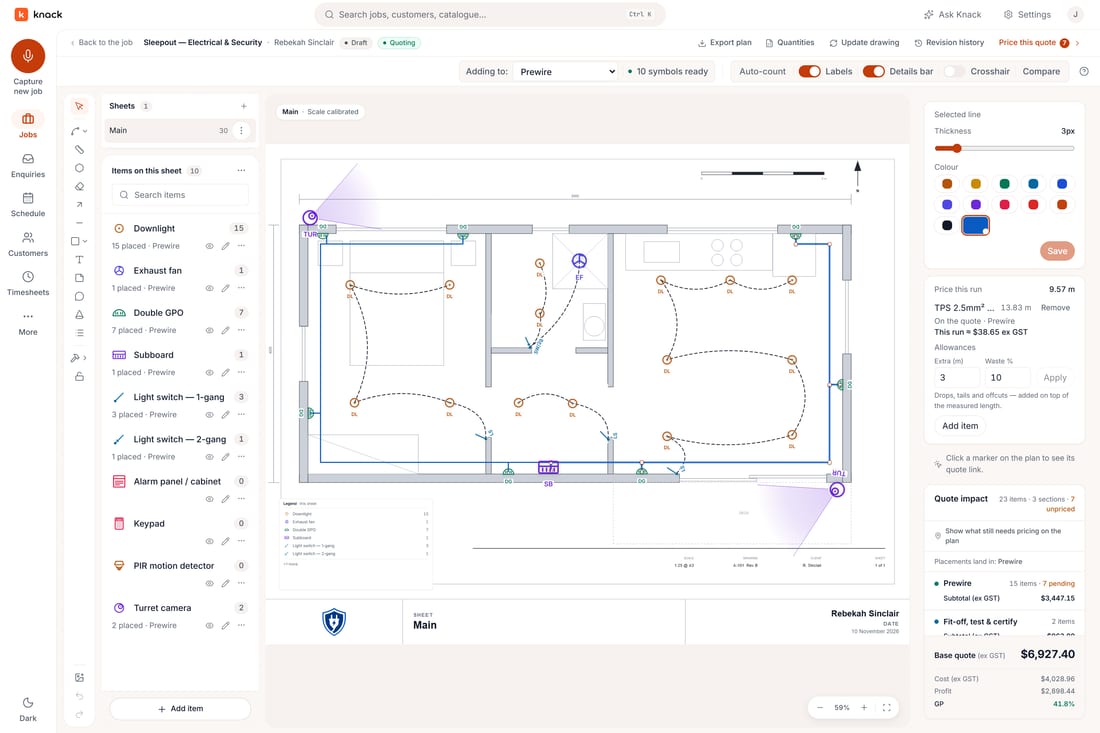
In Knack: a power circuit measured to scale, with extra length and waste added before it's priced. -
Write down what the plan doesn't show
The drawing shows points. It rarely shows the switchboard upgrade, the sub-board, the mains, earthing, penetrations and fire stopping, making good, access, or what you'll find in an existing house once the linings are off. List them as you go, and price them as their own lines, allowances or exclusions so they don't vanish into a single figure.
On a rewire, this list is usually where the money is. How to price a house rewire goes through it.
-
Check it before you price it
Do a second pass on a different sheet order, or spot-check two or three rooms against the plan. If the consultant included a schedule of fittings, compare your totals with it and chase every difference. Ten minutes here is cheaper than one forgotten circuit.
-
Turn quantities into a price
Price the point, not the part. A downlight point is the fitting, its share of cable, the clips and sundries, and the minutes to install it, built up once at your own rates and reused on every job. Then the takeoff multiplies out to a quote, and a change to the count is a change to the price.
Electrical takeoff in Knack shows how the count, the runs and the price live on one plan.
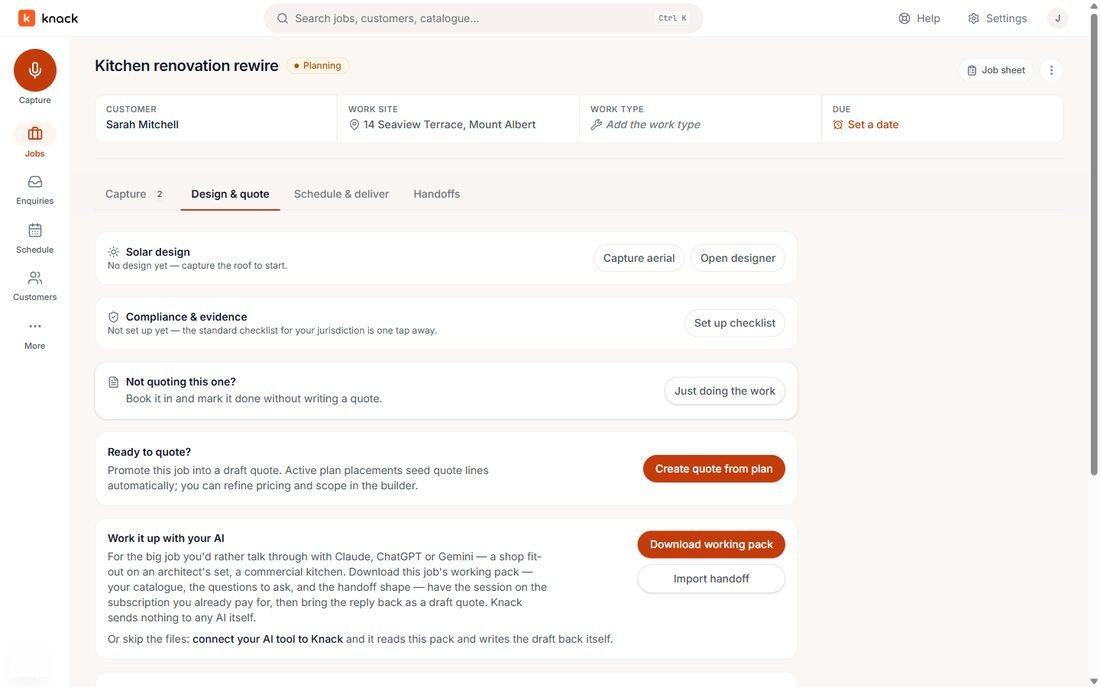
In Knack: Create quote from plan turns the takeoff's counts into the quote's quantities.
Where Knack fits
Knack does this takeoff on the plan itself: upload the PDF, box one symbol and accept the matches it finds, measure runs to scale with extra length and waste, and turn every count into a quote line at your own rates. Quoting a job, start to finish, shows it screen by screen.
Try it on a job you're pricing this week.
Thirty days, every plan feature, no credit card.